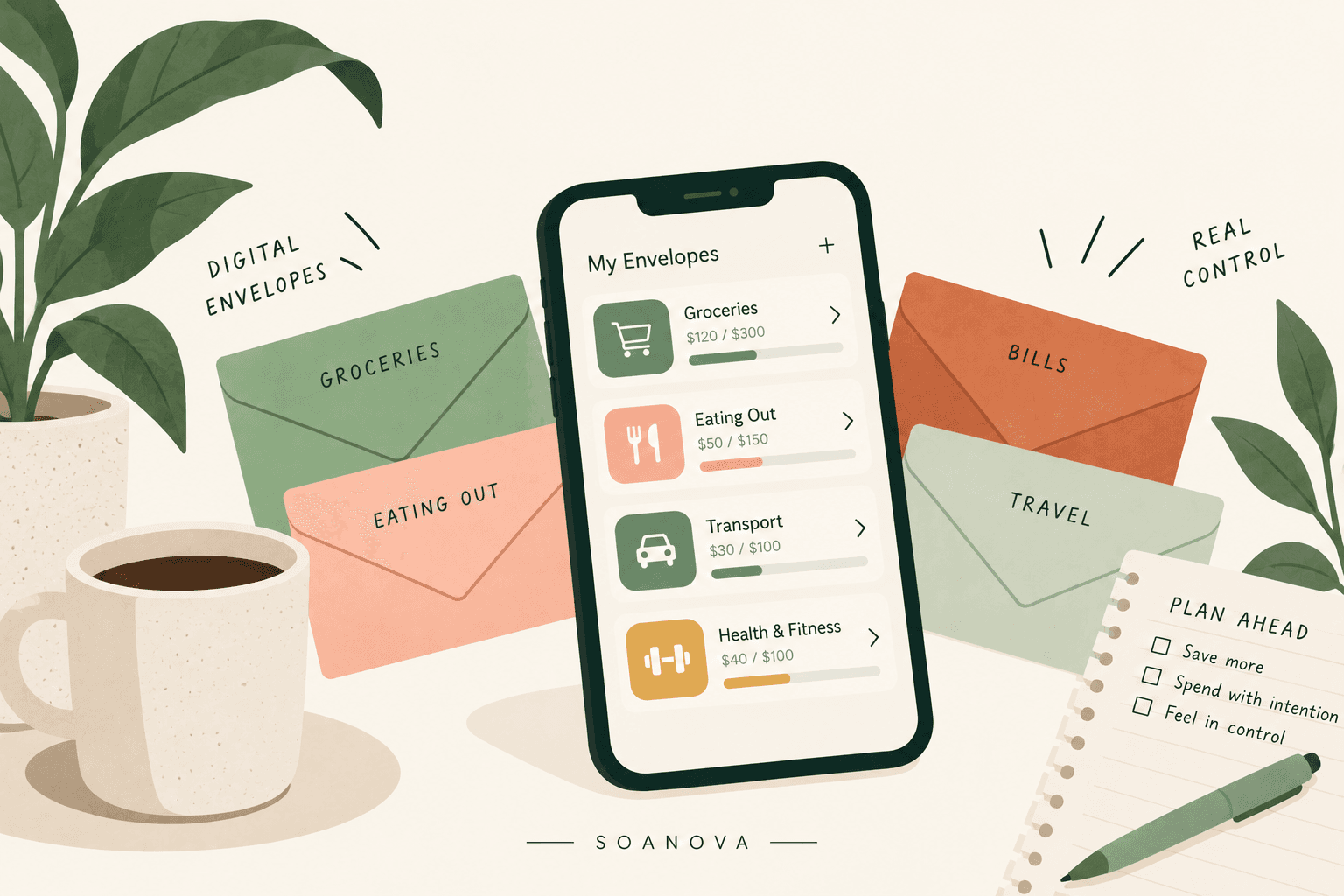
The Best Envelope Budgeting Apps for 2026
Most envelope budgeting apps do not really do envelopes.
Some give you real envelopes that you fund before you spend anything. Others give you a spending limit you bump into afterwards, and then call it the same thing.
This guide is here to help you pick one that fits how you already handle your money, and to say plainly which of them are not envelope apps at all.
Every price below came off the company’s own site on 8 September 2026. How I picked these is at the bottom.
The five apps, at a glance
- Goodbudget. Best for hands-on envelope budgeting. Free version that does not expire.
- EveryDollar. Best if you already follow the Baby Steps. Free version, manual entry.
- YNAB. Best for couples and for paying down debt. No free version, 34-day trial.
- Actual Budget. Best if you want it free permanently and do not mind hosting it yourself.
- PocketGuard. Best for tracking physical cash in detail. Paid only.
Goodbudget, for hands-on envelope budgeting
Goodbudget is built on the envelope method rather than bolted onto a tracker. You portion your income into named envelopes and spend from those, which is the paper system without the paper.
The free version does not connect to your bank. You enter account balances by hand, along with cash, debts and income, then assign money to envelopes.
The free plan gives you one account, two devices, 10 regular envelopes plus 10 more, and a year of history. Premium adds bank syncing for US banks, unlimited envelopes and accounts, five devices and seven years of history.
Goodbudget publishes a documented method for physical cash: create a second account called Cash and record ATM withdrawals as a transfer into it. On the free plan you only get one account, so log the withdrawal as an expense out of checking instead and let the paper envelope do the rest.
You can use Goodbudget on the web and on your phone, and there is a library of articles and videos to get you started.
Is this app right for you?
Consider downloading this app if you:
- Like envelope budgeting and want it on your phone rather than in a drawer
- Want a free version that does not expire
- Are comfortable entering expenses by hand
- Want to share a budget with a partner without paying
You should skip this app if you:
- Want automatic bank syncing without paying for it
- Like sleek graphics and modern design
- Want investment or net worth tracking
Cost and ratings
| Goodbudget | |
|---|---|
| Price | Free. Premium is $10 a month or $80 a year |
| Free version | Yes. One account, two devices, 10 regular envelopes plus 10 more |
| App Store | 4.6 |
One thing worth knowing. It scores 4.6 on the App Store and 3.8 on Google Play, checked on 9 September 2026, and that is the widest gap of any app here. If you are on Android, read the recent Play reviews before you commit. The other catch is that the cash method above needs a second account and the free plan gives you one, so holding your cash envelopes separately from your checking is the thing you end up paying for.
» Six free cash envelope printables, if you are staying on paper for now
EveryDollar, for envelope budgeting with a plan behind it
EveryDollar comes from Ramsey Solutions, which is where the cash envelope system your feed keeps rediscovering came from in the first place.
It relaunched in January 2026 with a margin finder that looks for extra breathing room, personalized plans, daily lessons and live group coaching.
The envelopes here are called Funds, and their balances carry over from one month to the next, which is what a sinking fund needs to do.
The free version does not sync with your bank. You enter income and spending by hand and categorize as you go. Premium adds the bank connection, custom reports and paycheck planning.
For cash, Ramsey publishes the method: budget a Cash Out line, delete the ATM transaction the bank imports because it is a transfer rather than spending, then track from there.
Is this app right for you?
Consider downloading this app if you:
- Already follow the Baby Steps and want the app that matches
- Like clear rules rather than lots of options
- Do not mind entering transactions by hand
- Want unlimited categories on a free plan
You should skip this app if you:
- Want a fully automated app
- Use credit cards and do not want to be told not to
- Want the bank connection without paying $79.99 a year
Cost and ratings
| EveryDollar | |
|---|---|
| Price | Free. Premium is $17.99 a month or $79.99 a year |
| Free trial | 14 days on Premium |
| Free version | Yes. Unlimited categories, manual entry only |
| App Store | 4.7 |
» The zero-based method EveryDollar is built on
YNAB, for envelope logic without the paper
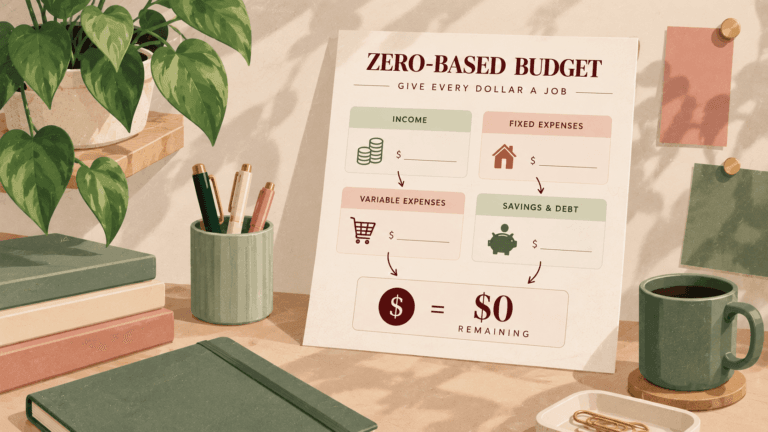
YNAB asks you to give every dollar a job before it leaves your account. That is envelope budgeting with better math and nothing in a drawer.
You can link your checking and savings accounts, credit cards and loans, or you can opt out of syncing entirely and add transactions by hand.
Two things I did not see mentioned in any of the ten reviews I read. College students get a free 365-day trial with proof of enrollment. And one subscription covers up to six people, which YNAB’s own pricing page confirms, so if you are budgeting with a partner the price per person is half what the sticker says.
The learning curve is real. Reviewers put it anywhere between two and eight weeks before it feels normal, and the part that reliably defeats people is credit cards. If most of your spending is cash, you will hit that wall much later than most.
Is this app right for you?
Consider downloading this app if you:
- Want to be hands-on and plan ahead rather than track backwards
- Are paying down debt
- Want to budget with your household under one plan
- Will give it two or three weeks before deciding
You should skip this app if you:
- Want to set a budget once and let automation take over
- Need a free option
- Want something that works from day one
Cost and ratings
| YNAB | |
|---|---|
| Price | $14.99 a month or $109 a year |
| Free trial | 34 days, and they do not ask for a card |
| Free version | None |
| App Store | 4.8 |
» How YNAB compares to Simplifi, Monarch and Rocket Money
Actual Budget, for free envelope budgeting you own
Actual Budget is free and open source, and its own documentation calls what it does envelope style budgeting, with categories used instead of physical envelopes.
Bank connection is optional and manual entry is a first-class way to use it. Because there is no company charging you, there is no price to raise next year.
The catch is that you host it yourself. There is no App Store version, and on mobile it is a web page you save to your home screen.
Not one of the ten review sites I read for this page mentions Actual Budget at all, which is worth knowing when you are weighing up how complete any roundup is.
Is this app right for you?
Consider downloading this app if you:
- Want true envelope budgeting at no cost, permanently
- Would rather your financial data stayed on your own machine
- Are comfortable following setup instructions
You should skip this app if you:
- Want to download something from the App Store and start
- Want customer support you can contact
- Do not want to think about hosting
Cost and ratings
| Actual Budget | |
|---|---|
| Price | Free, open source |
| Free version | All of it |
| App Store | Not listed |
PocketGuard, for tracking physical cash in detail
PocketGuard is not an envelope app in the strict sense. It follows the zero-based framework and sets spending limits rather than asking you to fund an envelope before you spend.
It is on this page for one reason. It has the best physical cash handling of anything here.
PocketGuard Plus lets you create up to 50 cash accounts, assign any cash transaction to a specific one, and move money between them without creating a transfer on both sides. If you carry six paper envelopes, that maps onto six cash accounts almost exactly.
One caveat worth having. PocketGuard’s own site says it supports envelope budgeting, and there is no page anywhere on that site explaining how that works. Every feature it does document sets a limit you spend against rather than a pot you fill first. Treat the envelope wording as marketing and the cash accounts as the real feature.
The cash features are on the paid tier only, and there is no free version.
Is this app right for you?
Consider downloading this app if you:
- Want to mirror a physical envelope wallet with separate cash accounts
- Want to see what is safe to spend after bills, debt and goals
- Are willing to pay, because there is no free version
You should skip this app if you:
- Want to fund envelopes before you spend rather than track afterwards
- Need a free option
- Do not want to connect a bank account
Cost and ratings
| PocketGuard | |
|---|---|
| Price | $12.99 a month, $74.99 a year, or $149.99 once for lifetime |
| Free trial | 7 days |
| Free version | None |
| App Store | 4.6 |
Apps that say envelopes and mean something else
Three more come up constantly in envelope searches, and not one of them asks you to fund an envelope before you spend from it.
Rocket Money and Quicken Simplifi set category spending limits. You bump into the limit afterwards rather than funding it first. Useful, and a different job.
Monarch gives you rollover budgets, which carry leftover money forward with arithmetic rather than with a funded bucket.
» If spending limits are what you want, the budgeting apps breakdown covers those four
» If the bills are the mess rather than the groceries, start with the budget planner
Qube Money is not what other sites still say it is
Qube’s pitch was a debit card that stayed at zero until you opened an envelope in the app, so the enforcement was real rather than something you had to keep up yourself.
That product is gone. Qube’s own site says its banking services closed on 30 September 2025, and that all debit cards, virtual cards, direct deposits and payment services stopped working that day.
What exists now is Qube+, which connects to your existing bank through Plaid and costs $14 a month or $126 a year, with no free tier. Qube says the card may return when it finds a new banking partner.
Two well-known sites still recommend Qube as digital cash envelopes with a card, and one of them updated its page in May 2026.
What to do about physical cash
If you stuff paper envelopes, the question you actually have is whether an app means logging every purchase. It does not.
YNAB puts it plainly in its own guidance: “Once the cash is in your wallet, you’re free to spend it, there’s no need for further tracking or budgeting.”
The envelope already did the tracking. You set the number when you stuffed it, the paper enforces it, and when it is empty you stop.
The setup that works
- Fixed bills stay on the bank. Rent, utilities, insurance, phone, subscriptions, on autopay.
- Three to five variable categories go into cash. Groceries, gas, eating out, fun money.
- The app holds the whole plan, cash categories included. The app is the plan, the paper is the enforcement.
- Record the ATM withdrawal once, as a transfer. Not as spending. This is the step people get wrong, and it is why a first month often looks like a three hundred dollar overspend.
- Do not log individual cash purchases.
- Do not run two methods at once. YNAB’s documentation says to pick the cash account method or the cash category method, never both.
R.J. Weiss, a certified financial planner, named the mistake people make: “The mistake I see most often is people trying to go all in right away. Just start with three to five areas where you overspend.”
» The full cash stuffing guide, if you have not started yet
Does cash really make you spend less?
The study everyone cites is from MIT, and the obvious objection is that credit cards let you spend money you do not have.
Researchers tested that. A 2015 study in Electronic Commerce Research and Applications ran it with debit cards, where you cannot overspend your balance, and found the same effect: “people are willing to pay more for identical products with debit cards than with cash.”
So it was never about credit. It is about the paying. Handing over notes registers as a loss in a way that tapping a card does not, and that is the whole of the effect.
Worth hearing the other side too. Bob Ingram, a certified financial planner at Center for Financial Planning Inc., told a Detroit station: “Money behaviors are still money behaviors. And regardless of whether we can track something or not on a budget, we’re still going to have spending decisions driven by emotions and thoughts.”
The app does not stop you spending. The envelope does that part, and the app covers the half of your month that the drawer was never going to reach.
Are envelope apps safe to use?
Aggregators and your data
Apps that sync your accounts rely on third-party companies called aggregators, such as Plaid and Finicity, which connect to your bank to pull transactions. These are read-only connections. They can see your transactions, not move your money.
Look for apps that use bank-grade encryption and support multi-factor authentication.
If you would rather not connect anything, that is the good news here. Goodbudget, EveryDollar, YNAB and Actual Budget all work entirely on manual entry. PocketGuard is the exception, because it is built around a linked bank account. For a cash budgeter that is not a compromise, because there is nothing in a drawer to sync.
Frequently asked questions
Can I use an envelope app without connecting my bank?
Yes. Goodbudget, EveryDollar, YNAB and Actual Budget all support manual accounts.
What happens when an envelope hits zero?
The app shows a negative number and lets you carry on. Your paper envelope physically does not. That is the reason to keep paper for the two or three categories where you overspend.
Is a free envelope app good enough?
For a cash budgeter, usually. What you pay for is bank syncing and automation, and if the money is in a drawer there is nothing to sync. Start free and pay later if something specific annoys you.
Do I need an app at all if the envelopes are working?
No. The reason to add one is the money that never touches an envelope, which for most people is the larger half of the month.
How I picked these apps
To make this list, an app has to let you fund a named envelope with a set amount before you spend it, and carry the balance forward. Apps that only set a spending limit did not qualify, and the three best known of those are named above so you can see why. PocketGuard is the one exception, in for its cash accounts rather than its envelopes.
Every price on this page came off the company’s own pricing page on 8 September 2026, not from another review. Two of the ten sites I checked had Goodbudget’s price wrong.
App Store ratings were checked on the App Store on 8 September 2026.
I read ten review sites for this piece and put every claim back against the company’s own page. Four of them gave the best free budgeting app title to four different apps. One called its pick the only free option on a list that had two other free ones. None of them had noticed that Qube’s banking closed in September 2025.
I have a bachelor’s in Economics, graduated on the Dean’s List, and my background is in Auditing at a Big Four firm, which is the job of checking whether a number is what someone says it is. I have spent three years at a Chartered Accountancy and Consultancy firm, where I am now the Marketing Lead. That is the standard this page is held to.
Start here this week
Download Goodbudget and make three envelopes that match three you already stuff. Add your fixed bills as one line, so the whole month sits in one place.
That is a fifteen minute job and it costs nothing.
Leave your paper exactly as it is, because the paper was never the problem in the first place.
» The zero-based method behind all of this, if you want the budget first